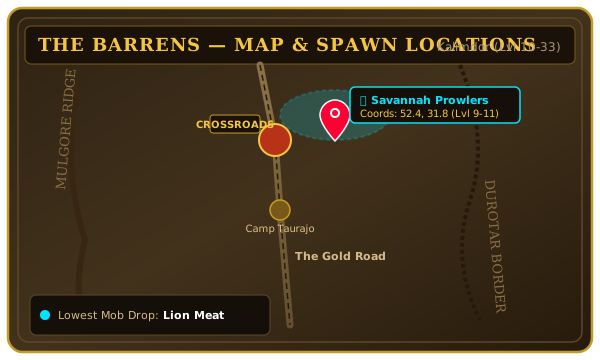
The Barrens Tactical Route Map
Annotated questing hubs, Wailing Caverns dungeon entrance (46.0, 36.4), flight paths, and resource ridges.

A real-time World of Warcraft AI tactical advisor featuring a clutter-free resizable "F-AI" Circle HUD, an ornate "World of Warcraft: Forever" Response Window for rich text and visual guides, automatic Resource Node Map & Minimap Pin Tracking, and hands-free [V] Live Voice Chat.
After gathering character telemetry on first run, ForeverAI collapses into a single, ultra-clean resizable circular emblem so your raid and combat viewport stays completely unobstructed.
The "F-AI" Circle HUD sits anywhere on your screen and scales smoothly from 44px to 140px
using its bottom-right gold resize grip or /fai size <44-140>.
[V] Live Voice Chat: Holding the V key displays a glowing green microphone badge directly beside the F-AI circle while capturing your voice question.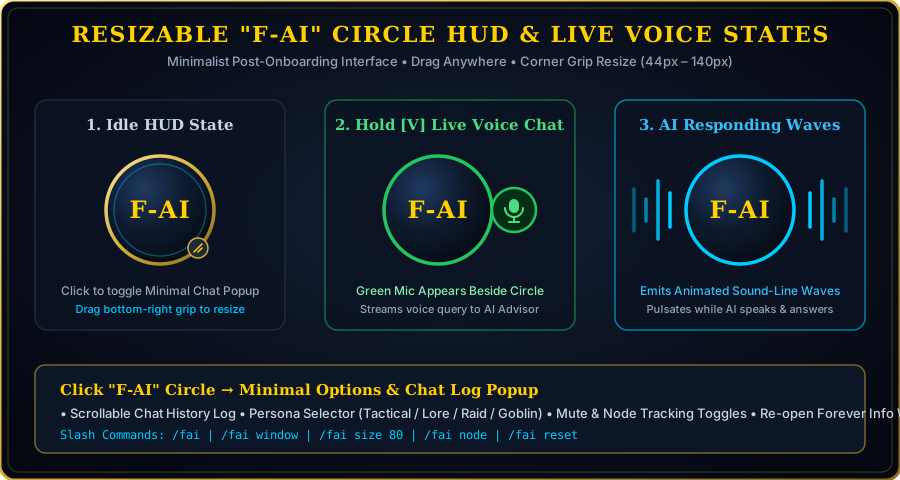
When your question requires detailed text explanations, coordinates, boss mechanics, or visual diagrams, the AI automatically opens a dedicated window crafted in the authentic World of Warcraft: Forever style.
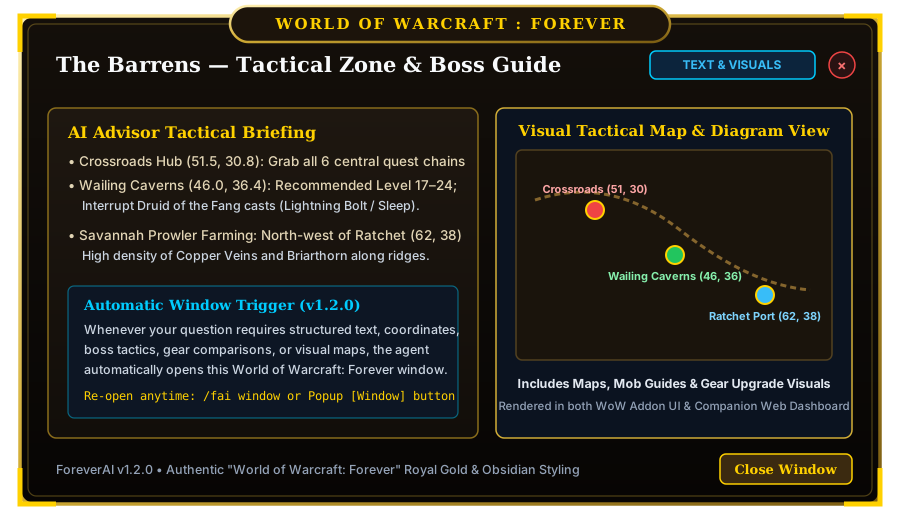
Short status pings stay unobtrusive, while substantial answers automatically trigger the
World of Warcraft: Forever Info Window (ForeverAIInfoWindow in-game and in the Companion Dashboard).
WORLD OF WARCRAFT : FOREVER header crest.TEXT INFORMATION, VISUAL SHOWCASE, and TEXT & VISUALS layouts./fai window or the Window button inside the F-AI popup.Automatically records where you gather ores, herbs, skins, and treasure chests, placing crisp, color-coded icons on both your World Map and Minimap radar.
DatabaseTracker.lua listens to your gathering spell casts (Mining, Herb Gathering, Skinning, Lockpicking, Opening)
and logs the exact zone and normalized (X, Y) coordinates.
1.5% coordinate radius and syncs to the Companion SQLite database.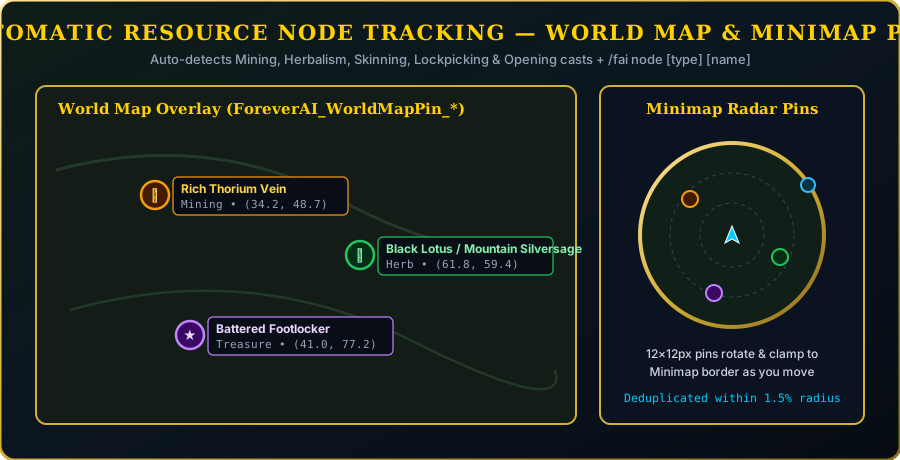
ForeverAI ships with custom vector tactical maps, mob farming guides, and gear upgrade visuals that display directly inside the World of Warcraft: Forever Response Window.
Annotated questing hubs, Wailing Caverns dungeon entrance (46.0, 36.4), flight paths, and resource ridges.
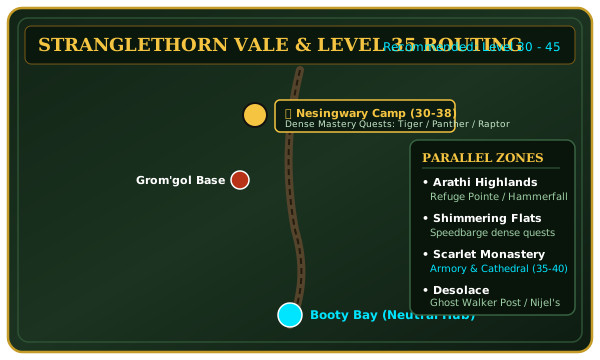
Nesingwary Expedition camps, Rebel Camp routes, Booty Bay safe travel paths, and Mithril/Herb circuits.
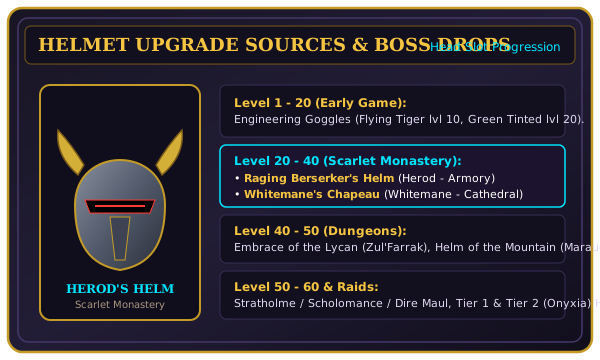
Side-by-side stat breakdowns, dungeon drop sources, and BiS progression visual cards.
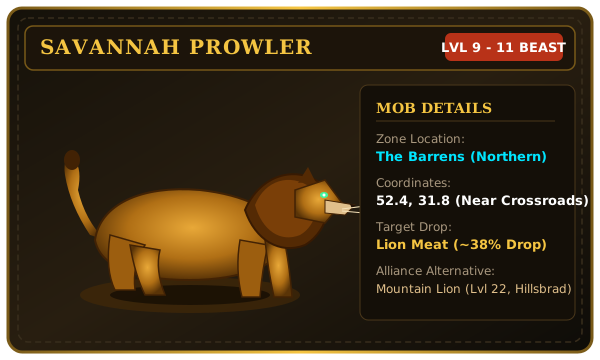
Spawn coordinates, level ranges, skinning yields, and combat ability breakdowns for target creatures.
Install via CurseForge or drop ForeverAIChatbot directly into your World of Warcraft Interface/AddOns directory.
| Command | Description |
|---|---|
/fai |
Toggle the minimal options & chat history popup beside the F-AI circle |
/fai window |
Open the World of Warcraft: Forever AI Response Window |
/fai size 44-140 |
Resize the F-AI circular HUD icon diameter in pixels |
/fai node [type] [name] |
Manually pin a resource node (mining, herb, treasure, gas) at your position |
/fai nodes |
Toggle resource node icons on the World Map and Minimap |
/fai clearnodes |
Clear all saved resource nodes in the current zone |
/fai reset |
Reset F-AI circle position and size to center-right defaults |
ForeverAIChatbot folder into:World of Warcraft/_retail_/Interface/AddOns/ForeverAIChatbot (or _classic_ / _classic_era_).
run.bat (or python run.py) to enable live local/Gemini AI responses, [V] voice transcription,
and SQLite node history at http://127.0.0.1:8080.